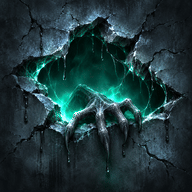
BREACHZONE

The walls break. The monsters come. Survive.

CHOOSE LEVEL

Installed! Open Breach Zone from your home screen.

The game uses the back camera and the motion sensor. Turn the sound on. Headphones are best.

HOW TO PLAY

  1. Sit down. Hold up your phone and look through it. Where you look at the start is "front".
  2. 4 nests grow on the walls: in front of you, left, right and above. Monsters crawl out of them. Nothing comes from behind.
  3. Put the cross on a monster or a nest and tap the screen to shoot. A nest is weak only when it glows open.
  4. Tap the bullets (bottom right) to reload. A refill costs money; kills give money.
  5. Red glow on one side? A monster is at you there: turn to it and shoot it.
  6. Destroy the 4 nests and every monster. Then kill their queen: shoot her belly or eyes when they glow.

Finish a level to open the next one. On a computer: drag or the arrow keys to turn, click or SPACE to shoot, R to reload, P to pause.

SETTINGS

Vibration works on Android phones (an iPhone web page cannot vibrate).

It shows before your next game.

IT GOT YOU

0 points

0 killed  |  0 of 4 nests  |  0:00

The Maw Queen is dead.

1 of 3

SHOOT

Reloaded! Well done.

Empty! Tap the bullets.

PAUSED

Tap RESUME to go on.

INSTALL THE GAME

As an app it opens full screen, with no browser bar to tap by mistake.

  1. → Tap ••• (next to the address), then Share. Older iPhones: the Share button at the bottom.
  2. Scroll down and tap Add to Home Screen.
  3. Keep Open as Web App on. Tap Add.
  4. Open the game from its new icon on your Home Screen.
  1. Tap the Share button in the address bar (a square with an arrow up). Or tap •••, then Share.
  2. Scroll down and tap Add to Home Screen.
  3. Tap Add.
  4. Open the game from its new icon on your Home Screen.
  1. Tap ⋮ (top right of the browser).
  2. Tap Add to Home screen or Install app, then Install.
  3. Open the game from its new icon.

The installed game asks for the camera and the motion sensor again. Say yes.